Skip to content

Interactive Drawing Lessons

Learn to draw with a coach thatwatches every stroke.

Draw. Submit. Get corrected. Repeat. Unlike AI tools that draw for you, Luna helps you build real manual skill - one stroke at a time.

Real lesson recording
Luna

Draw an ∞ on the canvas — I'll give you interactive guidance on your technique and show you how to improve!

Attempts:
❤️❤️❤️

Luna isn't here to generate art—she's here to help you become the artist.

No account · No AI grading · Unlimited tries

Not ready for an account? Draw one shape and get a number back.

Seven short drawing exercises run right here in the browser. You draw the shape, and the geometry is measured on the spot — a score, the specific fault behind it, and the fix that clears it. Two of them go further: the box and the cylinder will build the construction with you one mark at a time, checking each mark as you draw it, and each carries an optional course that takes the supports away one at a time. A mouse or a finger works and the measurement is the same — but that teaches you the theory. For the hand itself, we recommend a tablet with a pen. No model looks at these: it is arithmetic, and it gives the same answer every time.

The test runs all seven drills, one attempt each, and ends with a profile naming your weakest skill and the drill that fixes it. Every formula and threshold behind these numbers is published.

Already have a drawing you want looked at? Rate My Sketch reads the drawing itself and marks the corrections onto your image. The drills build the hand; the lessons teach the rest.

What is Drawize Academy?

Drawize Academy is a practice-first way to learn how to draw. Lessons are split into small, focused steps so you always know exactly what to do. You draw the step, submit, and get instant interactive guidance on what to refine - then resubmit until it passes.

It’s not a video course; it’s guided, hands‑on practice. We focus on foundations (lines, forms, proportions) and tight feedback loops that build skill quickly. Your progress is saved across lessons and devices.

Perfect if you…

  • 💭

    Think you "can't draw" but secretly wish you could

  • 📹

    Tried YouTube tutorials but didn't know if you're doing it right

  • 🎯

    Want small, focused exercises instead of long videos

Not another video course

  • Draw, submit, get feedback instantly

  • Short steps, clear goals

  • No 2-hour video lectures

Lesson Previews

See how drawings evolve step by step. These mini replays show artist solutions you can later practice yourself.

Your First Drawing: A Magical Mushroom

Preview
0:00 / 1:08
Step 1 of 3
Draw a horizontal oval (ellipse), then add a big dome on top connecting the left and right edges.

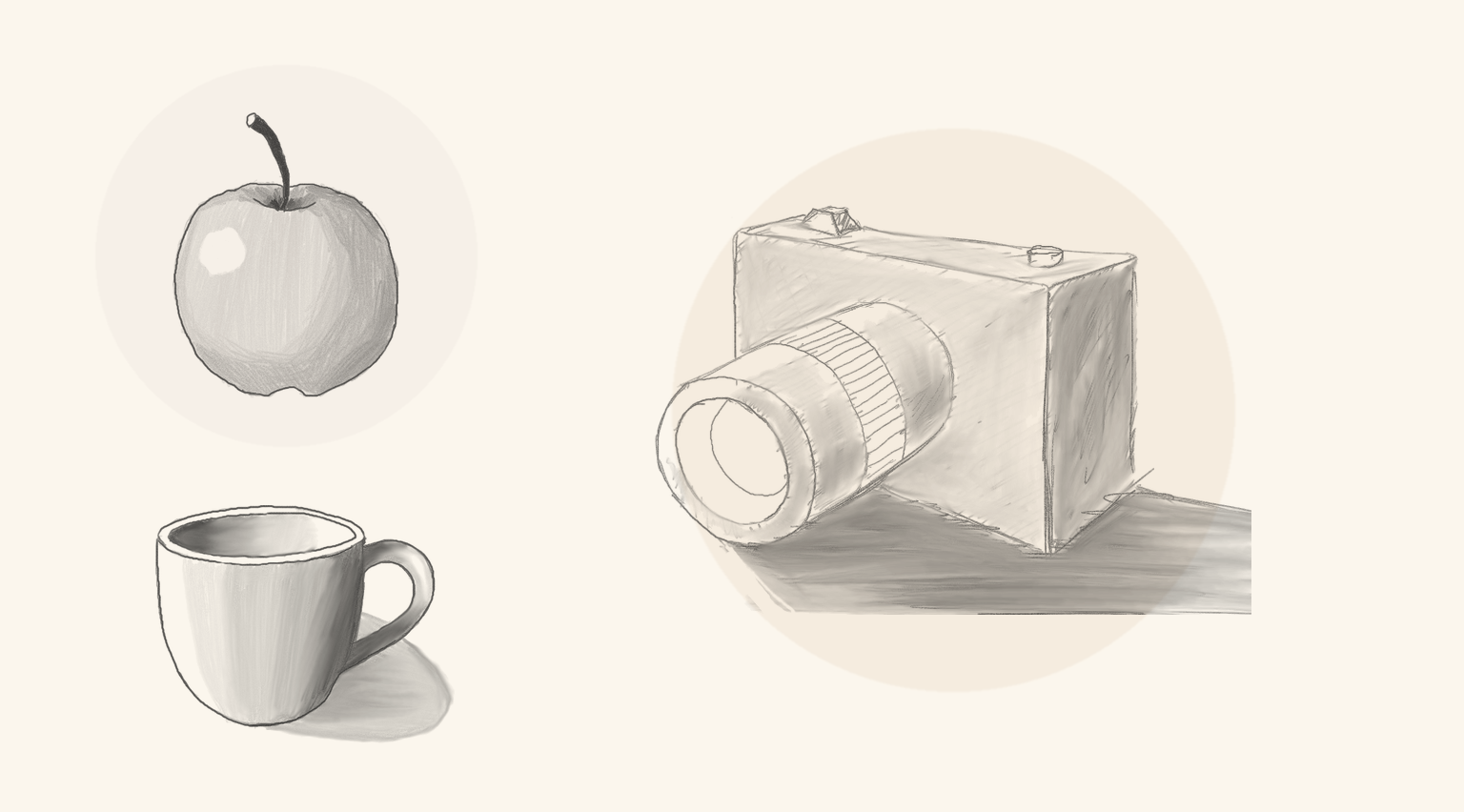
Sketching an Apple

Preview
0:00 / 7:19
Step 1 of 4
Let's begin with the basic form. Lightly sketch a sphere.

Sketching a Coffee Mug

Preview
0:00 / 11:06
Step 1 of 5
Let's start by lightly sketching the main body of the mug.
📐

Structured steps

Each lesson is broken into clear incremental tasks so you always know what to do next.

Immediate feedback

Submit, read the response, improve. Tight loops accelerate skill acquisition.

🛠️

Practice efficiency

No boring tutorials—just hands-on practice until you learn how to draw.

Multi-Dimensional Analysis

Every stroke gets graded across 5 quality dimensions

Luna doesn't just say "good job." She evaluates line quality, shading technique, precision, proportions, and how cleanly your corners and joins connect - then shows you exactly where to improve.

LinesExcellent
ShadingGood
Corners & JoinsGood
PrecisionExcellent
ProportionsFair

An illustration of the breakdown a lesson gives you — not a real submission

No Generation. Just Education. 🛡️

100% Human-Drawn

You do the drawing; we provide the eyes.

🔍

Analytical, Not Generative

Luna never generates images. She only offers live drawing insights to help you improve.

💪

Skill You Keep

We help you build talent that stays with you forever.

How It Works

Think of Luna like a GPS for your pencil. She analyzes your manual strokes and catches mistakes in perspective and form instantly. You hold the pencil, she provides the drawing analysis, and you build real muscle memory.

  1. 1

    Create a free account

    No payment. No waitlist during public beta.

  2. 2

    Open a lesson & follow the step prompt

    Each step focuses on a single drawing action or refinement.

  3. 3

    Submit your attempt

    Receive concise guidance on what to adjust—then fix it.

  4. 4

    Iterate until the step passes

    Resubmit improved versions; fast feedback tightens learning.

  5. 5

    Move through the lesson

    Finish all steps to complete the lesson; more lessons are added over time.

Create a free account to start your first lesson in 10 seconds.

AI Is Not an Artist.

Most AI today takes the pencil away from the human. We're doing the opposite.

Luna is not here to create art—she is there to help create the artist.

She acts as a mirror for your technique rather than a substitute for it — she catches perspective and occlusion errors and hands them back to you to fix. The free drills go further and show their working:every formula and threshold is published, with the fixture each one was set from. We provide the eyes; you provide the soul.

Featured courses

What to Expect

Transparent pricing. Clear process. Real results.

🎁

Start with FREE Trial

Try the first lesson completely free. No credit card. No commitment. See if our approach works for you.

Zero risk
75% OFF
💰

Early Access Special

Regular price $39 — Get 75% early access discount for just $9.75. Price returns to $39 after early access period.

$9.75$39
✓ Lifetime access
✓ Interactive guidance included
🎯

Focused Practice

Each lesson broken into 5-10 minute steps. Draw, submit, get instant drawing analysis, improve, repeat. Real practice, not passive watching.

Learn by doing
🎉 EARLY ACCESS PRICING

$9.75 Lifetime Access (75% Off $39)

Help us shape the future of drawing education. Regular price is $39 — Early access users get 75% off at just $9.75. Price returns to $39 when we exit early access.

No credit card required. Setup takes 10 seconds.

Roadmap Snapshot

  • More fundamentals modules
  • Project lessons (planned)
  • Progress dashboard (planned)
  • Optional premium tiers later

Details may evolve based on early user feedback.

Best devices for the course

A tablet with a stylus (or a pen display / graphics tablet) gives the best control. A mouse works, but precise lines are harder.

If you plan to practice regularly, consider a dedicated pen input device.

As an Amazon Associate, we may earn from qualifying purchases. Prices and availability are subject to change.